AI website
Not an AI that generates a template, but an AI that runs your website
Most AI website builders only generate the first version. Ducseo opens the whole site to the AI tool you already use: products, pages, blog, translations, SEO and theme. Every future update can be handed to the AI.
- Claude Code
- Claude Desktop
- ChatGPT / Codex
- Cursor
- Grok Build
- WorkBuddy
How it works
The Ducseo MCP connects your AI tool to your website
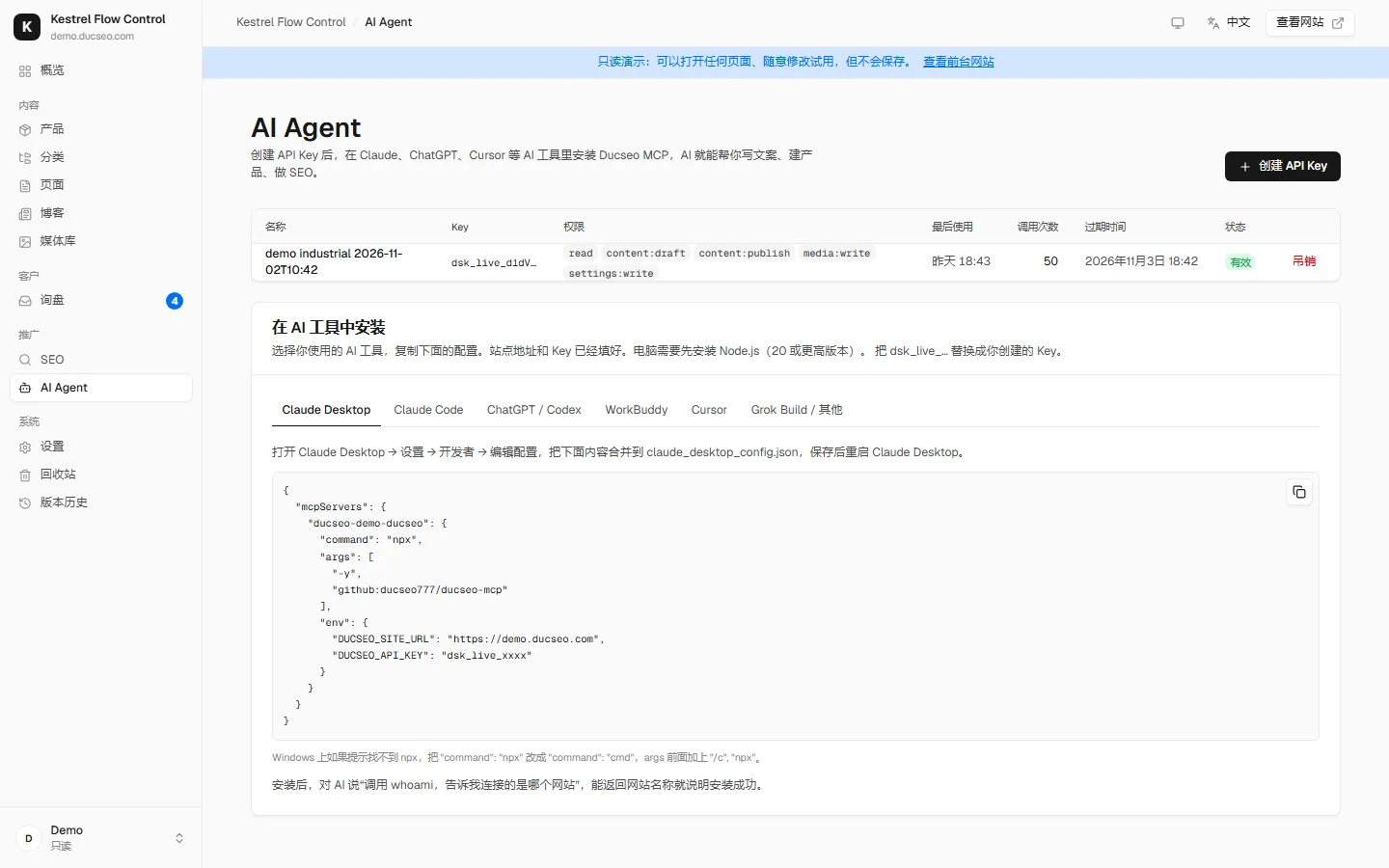
MCP (Model Context Protocol) is the standard way AI tools connect to other systems. The Ducseo MCP runs on your computer and talks to your website with an API key.
- Create an API key on the dashboard's AI Agent page and choose its permissions
- Copy the setup for your AI tool (site address and key already filled in)
- Ask the AI to "call whoami": if it names your website, you are connected
After that, just describe what you want. Todd installs it for you during setup.
What the AI can do
Almost anything you can do in the dashboard
Write copy
Home, About, factory and FAQ pages in your brand voice, using only the facts in your fact sheet.
Build products
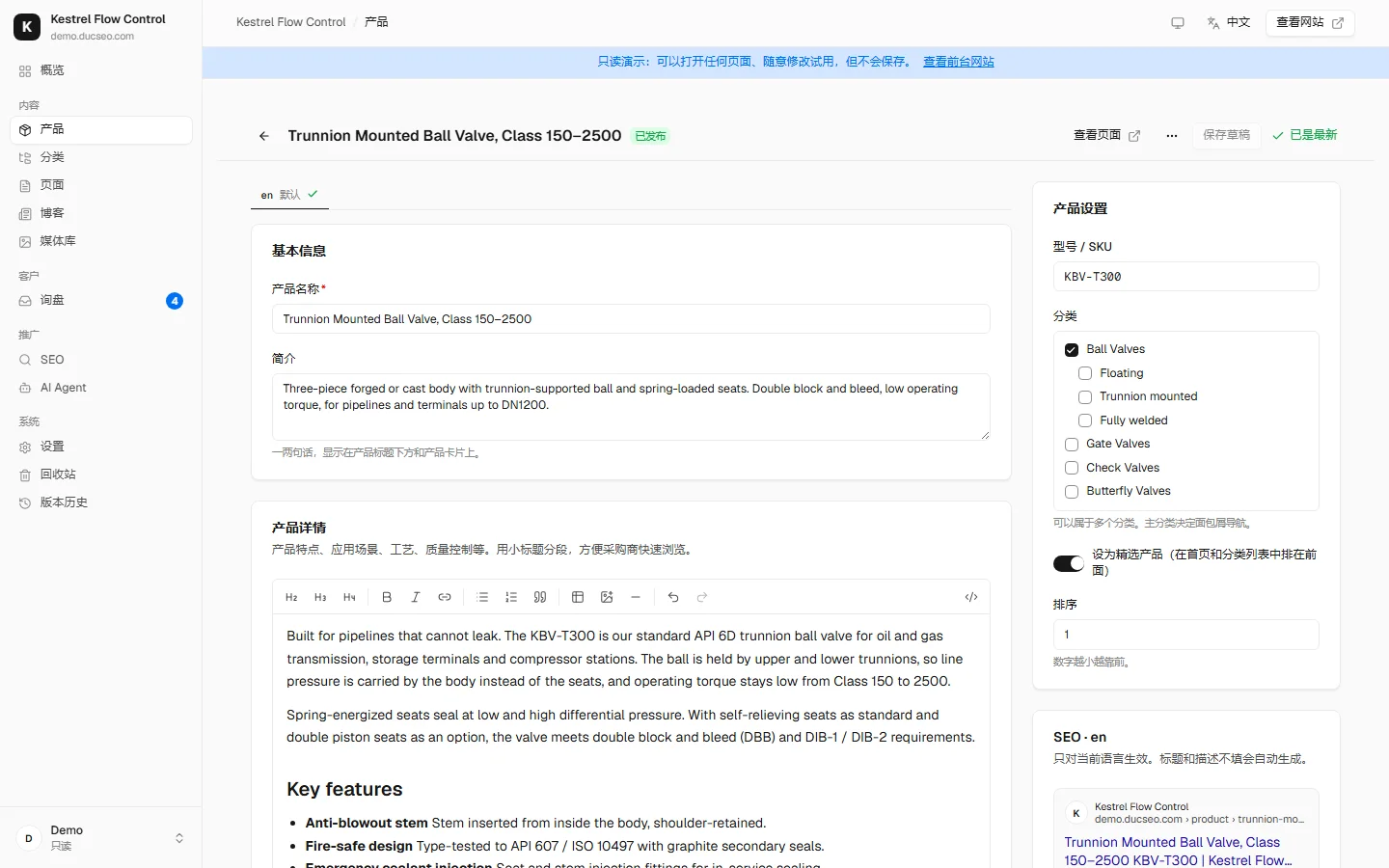
Turn product sheets into product pages: summary, description, spec table, MOQ and lead time, product FAQ.
Upload images
Send product photos, certificates and PDFs from your computer to the media library, with alt text in every language.
Translate
Rewrites for buyers in each language instead of word-for-word translation; model numbers, units and standards stay exact.
Fix SEO
Reads the site's SEO report and fills in titles and descriptions, fixes internal links and adds missing alt text.
Change the look
Switch design, brand colors, fonts and menus; low-contrast colors are corrected automatically.
Write the blog
Articles that answer buyers' questions, linked to the right products.
Review inquiries
With separate permission, summarize inquiries by country and product.
Guardrails
You approve what the AI changes
AI changes are saved as drafts with a preview link, and go live only when published. Every change is in the revision history, marked human or AI, with one-click rollback.
API keys have separate permissions: read, save drafts, publish, upload media, change settings, read inquiries. The AI can never change custom code or secrets, and any key can be revoked at once.
AI website questions
How is this different from other AI website builders?
Most AI builders generate the first version of a site; after that, people maintain it by hand. Ducseo opens all content and settings to your own AI tool through MCP, so new products, translations and SEO fixes can be handed to the AI for as long as you run the site, with whichever AI you prefer.
Do I need to know how to code?
No. Todd installs everything remotely; after that you talk to the AI in plain language. Your computer needs Node.js 20 or later, which is set up during installation.
Can several AI tools or colleagues work on one site?
Yes. Give each tool or colleague their own API key with its own permissions; the dashboard shows when each key was last used and how often.
Will buyers understand the AI's English?
The writing rules tell the AI to write natively for each language rather than translate word for word, and to keep model numbers, units and standards exact. For key pages, have a colleague who knows the language read them before publishing.
Can the AI see my customers' inquiries?
Only if you tick the separate "read inquiries" permission on its API key. Inquiries contain personal data, so this is off by default.
See the AI Agent page in the demo dashboard
No sign-up: click "Enter demo dashboard" on the login page.